 MechaOBD
Meet your vehicle.
Plug a compatible adapter into the OBD-II port and connect from MechaOBD.
 Ready to connect
CAR DIAGNOSTICS. HUMAN INSIGHTS.
Get insights shaped by your vehicle’s make, model, engine, and captured data. With a compatible adapter, start checking your car right at home—no appointment needed.
Available for iPhone and iPad · iOS / iPadOS 18+
Compatible Bluetooth OBD-II adapter required.
MORE THAN A CODE READER
Your car reports trouble codes. They tell you where to look, but the rest of the story is in the data.
Three related codes in one demo capture.
HUMAN INSIGHTS. EVIDENCE INCLUDED.
What might be wrong? Why does the data point there? Explore a real example of how MechaOBD connects the dots.
Open the full sample2.5L 4-cylinder · Guided Health Check
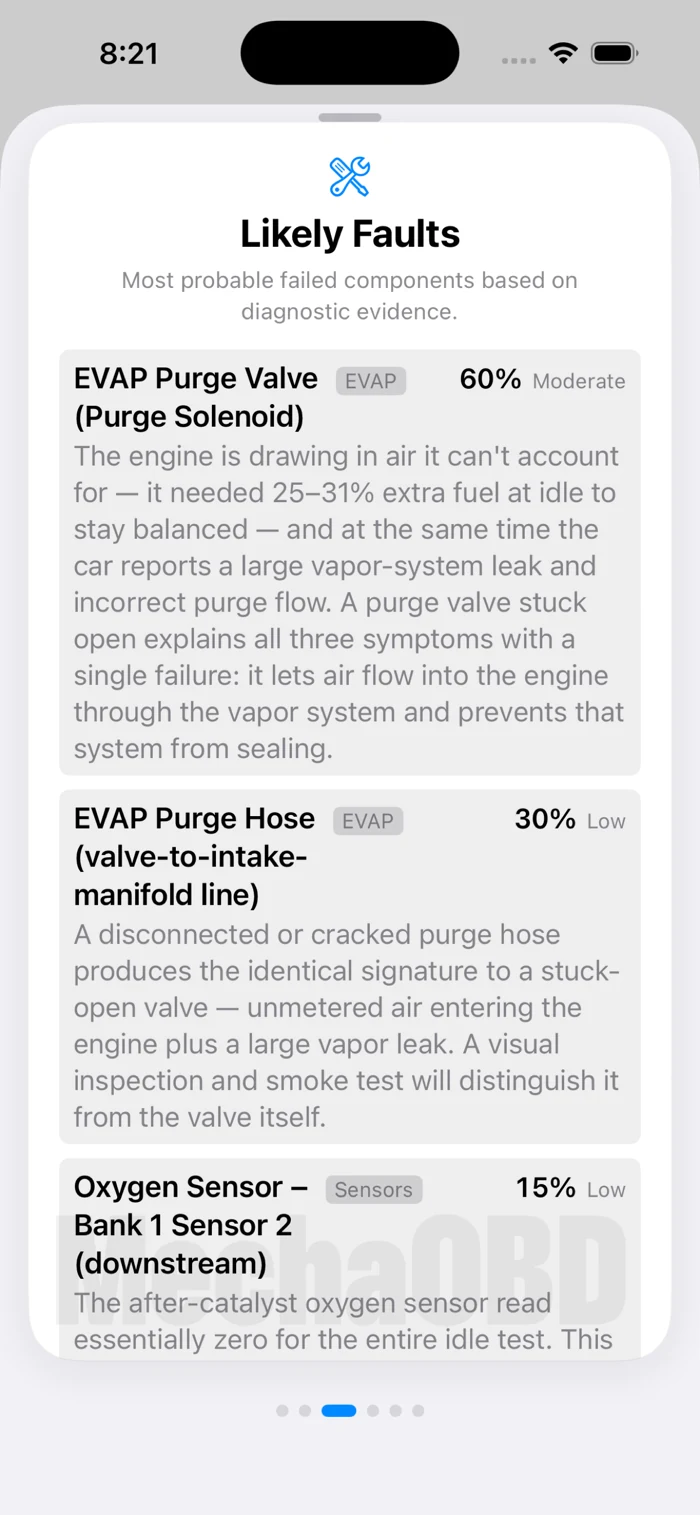
The engine is running lean, and the vehicle is also reporting a fuel-vapor system leak. Taken together, the captured data points toward the purge circuit as a likely place to investigate.
A stuck-open purge valve or damaged hose could explain the pattern. Testing the circuit can help distinguish between them before replacing parts.
A valve that stays open can let unmeasured air into the intake while preventing the vapor system from sealing.
A disconnected or cracked hose could produce a similar pattern. Inspection and testing help tell the difference.
These are hypotheses from one demo capture, not confirmed component failures.
During the demo’s warm-idle window, the engine computer was adding substantial fuel. That supports the lean-condition code. The simultaneous vapor-system codes make the purge circuit worth investigating.
The higher-RPM data was brief and sparse. This capture cannot settle every possible cause.
YOU DON’T HAVE TO SPEAK CAR
Your iPhone or iPad guides you through a check from your own driveway. No diagnostic experience or appointment required.
Start your first scan at home. Stay near the vehicle while connected.
See our recommended hardware ↗ or explore Demo Mode right away.
Plug a compatible adapter into the OBD-II port and connect from MechaOBD.
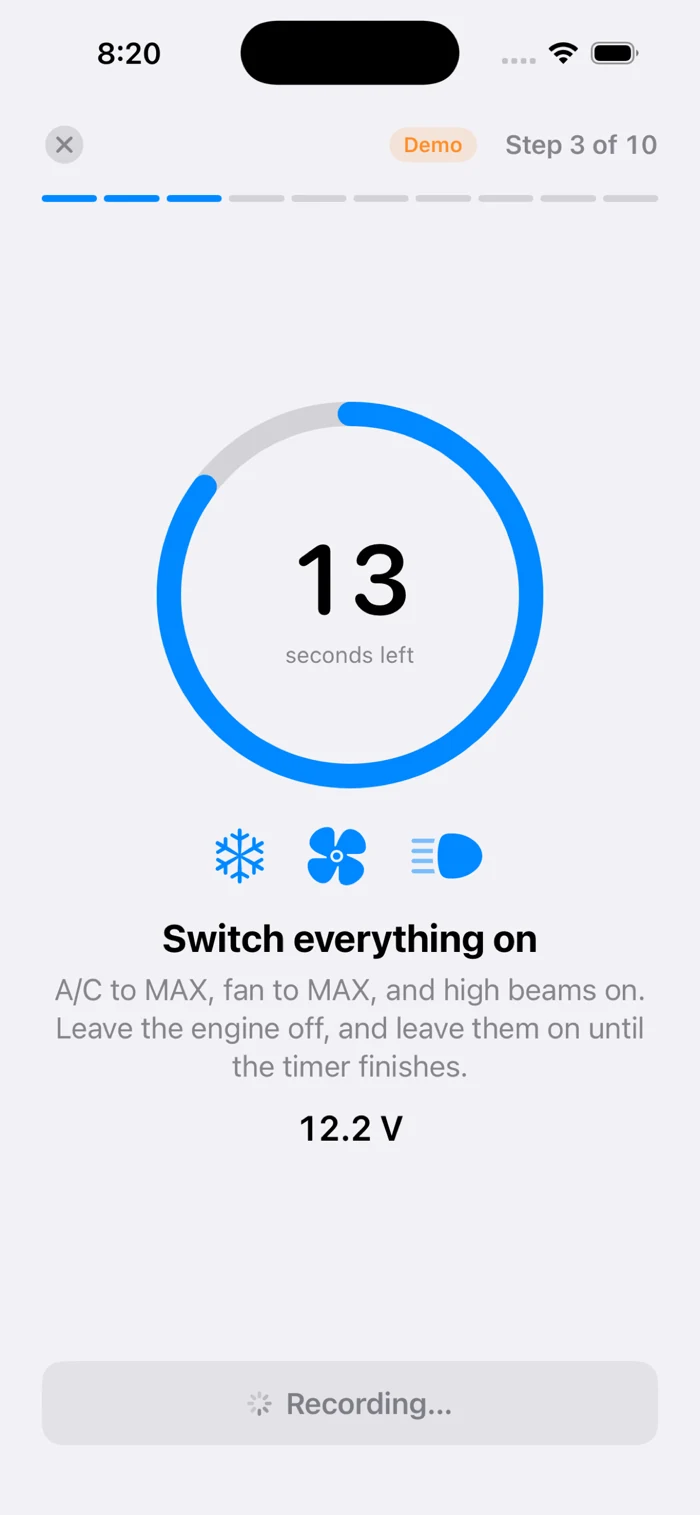
Ready to connectFollow the ten-step Guided Health Check to capture how your vehicle responds.
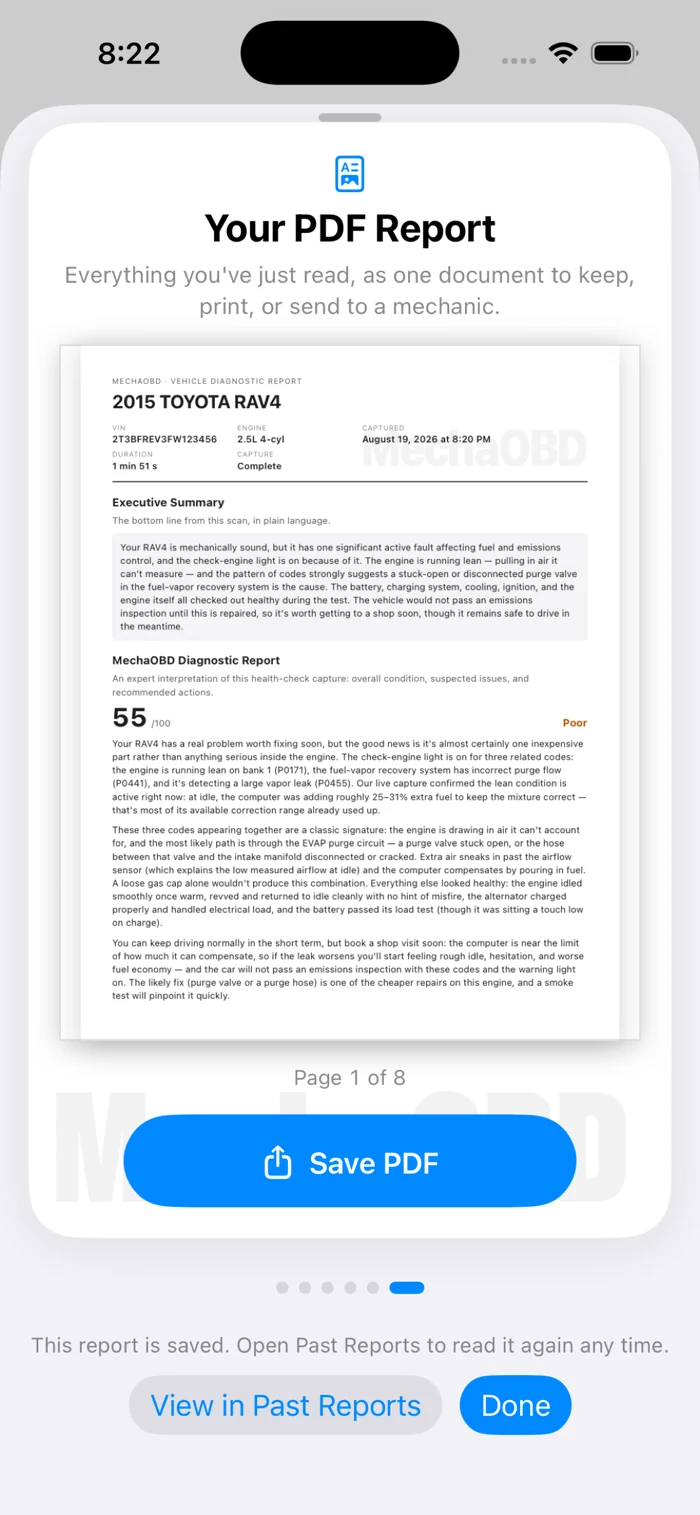
Choose a paid Diagnostic Report. Read it, revisit it, or share a PDF with your mechanic.
FOR THE QUESTIONS BETWEEN SHOP VISITS
Take a quick look or dig into the readings. MechaOBD puts your vehicle’s diagnostic information within reach.
Quick Scan reads stored, pending, and permanent trouble codes—including codes that can stay hidden when the check-engine light is off. Coverage depends on your vehicle.
View live sensor data or use Manual Capture to record behavior for a closer look.
Revisit saved reports and export a PDF when you want to share the explanation.
See the sample PDFA REPORT WHEN YOU WANT ONE
Diagnostic Reports are optional in-app purchases. The price is shown in the app before you buy.
Download pricing is shown on the App Store.
YOUR DATA, WITH CLEAR BOUNDARIES
Diagnostic records are stored on your device. Vehicle identification and requested AI reports use online services.
An iPhone running iOS 18 or later, or an iPad running iPadOS 18 or later, a compatible Bluetooth Low Energy OBD-II adapter, and a compatible vehicle. The adapter plugs into your vehicle’s diagnostic port and is purchased separately.
Yes. With MechaOBD, a compatible adapter, and a supported vehicle, you can start a scan in your own driveway without an appointment. Stay near the vehicle during the capture and run the engine only outdoors. Internet access is needed for a requested AI Diagnostic Report.
Yes. Quick Scan reads stored, pending, and permanent OBD-II trouble codes where supported. Pending codes may appear before the check-engine light turns on, and permanent codes may remain after it turns off. Permanent codes clear only when the vehicle completes its own checks; reading one does not prove a fault is still active.
A trouble code describes a condition, but the likely causes depend on the car behind it. MechaOBD brings available vehicle details, mileage, and captured readings into its analysis to help explain what to investigate next.
Yes. The app has a Demo Mode with a prerecorded example, so you can explore the experience without connecting to a vehicle. You can explore a sample report on this website right now.
An AI-generated explanation of your captured vehicle data: an executive summary, system assessments, likely causes, supporting evidence, and recommended next steps. Finished reports can be saved as PDFs. Reports are optional in-app purchases.
MechaOBD helps you understand the data your vehicle makes available. It cannot inspect every component or confirm every fault. A report suggests possibilities and next checks; a qualified mechanic can test and confirm the cause.
Most diagnostic functions work locally. Internet access is needed for vehicle identification and requested AI Diagnostic Reports. Your diagnostic records are stored on your device.
No account is required to use MechaOBD. You choose whether to request a paid Diagnostic Report, and Apple handles the purchase.




You don’t need to know every code.
Just where to start.
YOUR NEXT STEP STARTS AT HOME
Connect in your driveway. Get to know your car.
Available for iPhone and iPad.
Compatible adapter required · Diagnostic Reports purchased separately